After you buy
Your download
One-time payment, one download. Grab the installer below and you're set — it runs offline from there.
After paying, head to the download page and grab Grind — it runs offline from there.
Not sure which Mac you have? Apple menu → About This Mac. If it says "Apple M1/M2/M3/M4", pick Apple Silicon; if it says "Intel", pick Intel.
Mac users: if Grind closed on you when entering a room or turning the camera on, download it again above and install over the old one — it's fixed.
Mac: first time you open it, macOS asks for one extra step
- Open the .dmg and drag Grind to your Applications folder.
- Open Grind. macOS will say it can't verify the developer — that's expected, click Done.
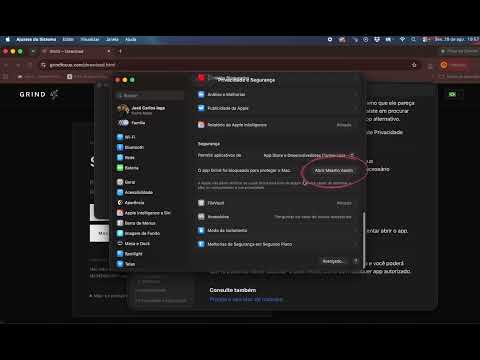
- Go to System Settings → Privacy & Security, scroll down, and click "Open Anyway" next to Grind.
- Open Grind again and click Open. You only do this once — it opens normally from then on.
Grind is notarized with Apple soon; until then macOS shows this warning for independent developers.
Video tutorial
How to open Grind on Mac
Under two minutes, showing the exact steps above on a real Mac.