One city, not one per person
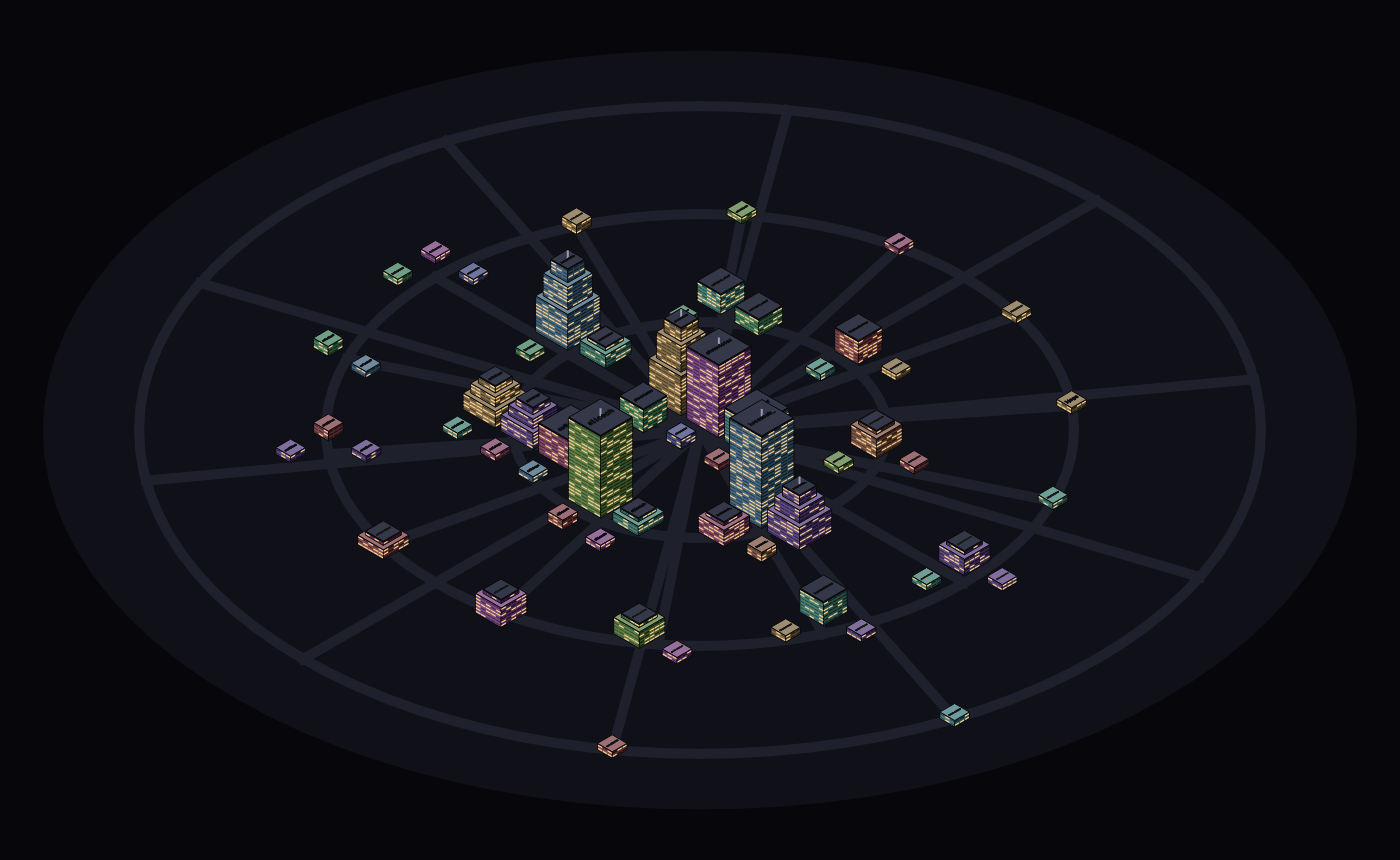
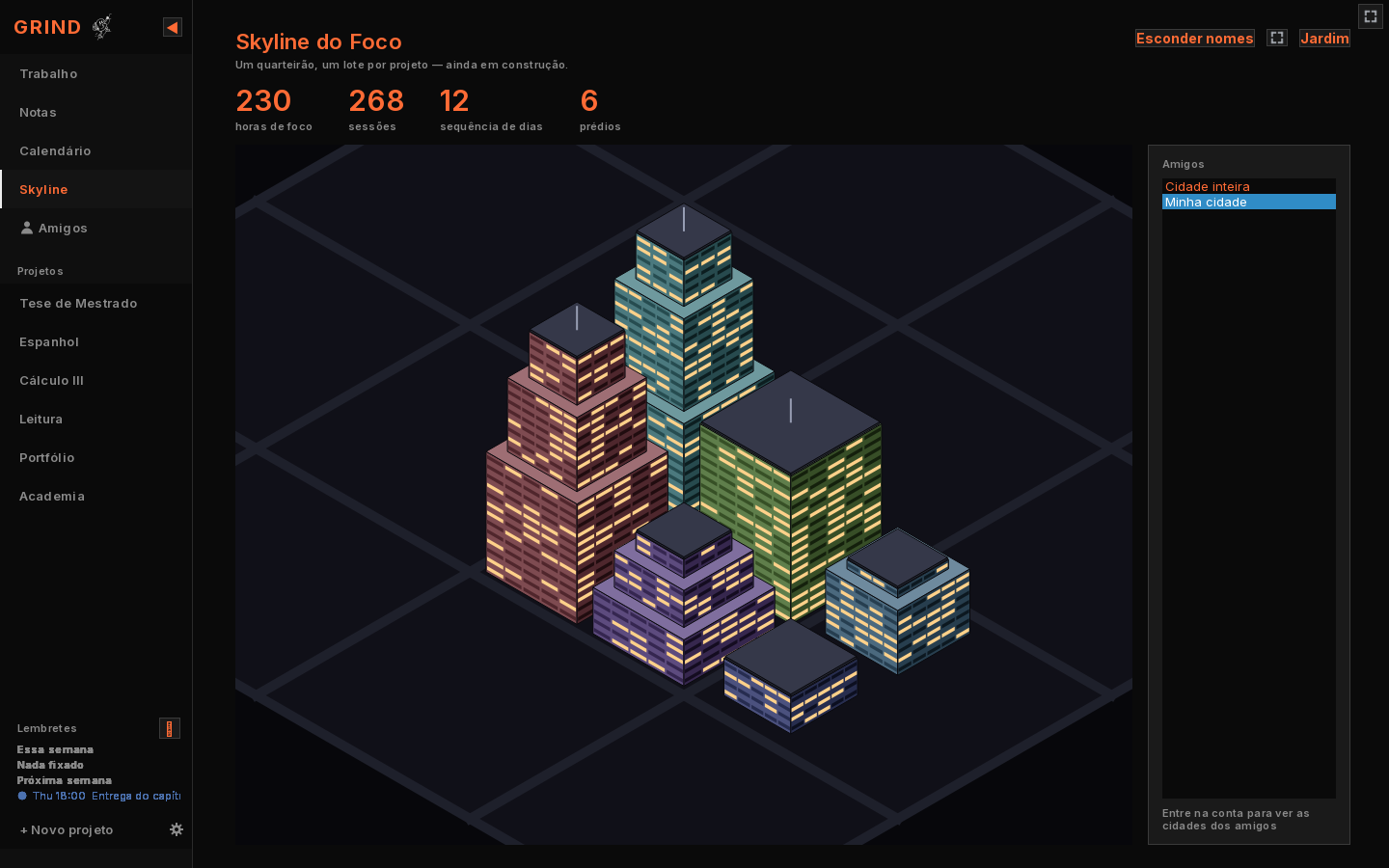
The Skyline used to open on your own handful of buildings. Now it opens on the whole city — you and everyone you're connected to, in one place, each person's name painted on their roofs. Hours put you closer to the centre: keep working and your district moves downtown.
Hover any building to see the project behind it, the hours in it and how many sessions it took. There's a fullscreen button for when you just want to look at it, and a switch to hide every name.
THE REAL CITY, EVERY ACCOUNT THAT HAS LOGGED FOCUS
A friends list you can actually read
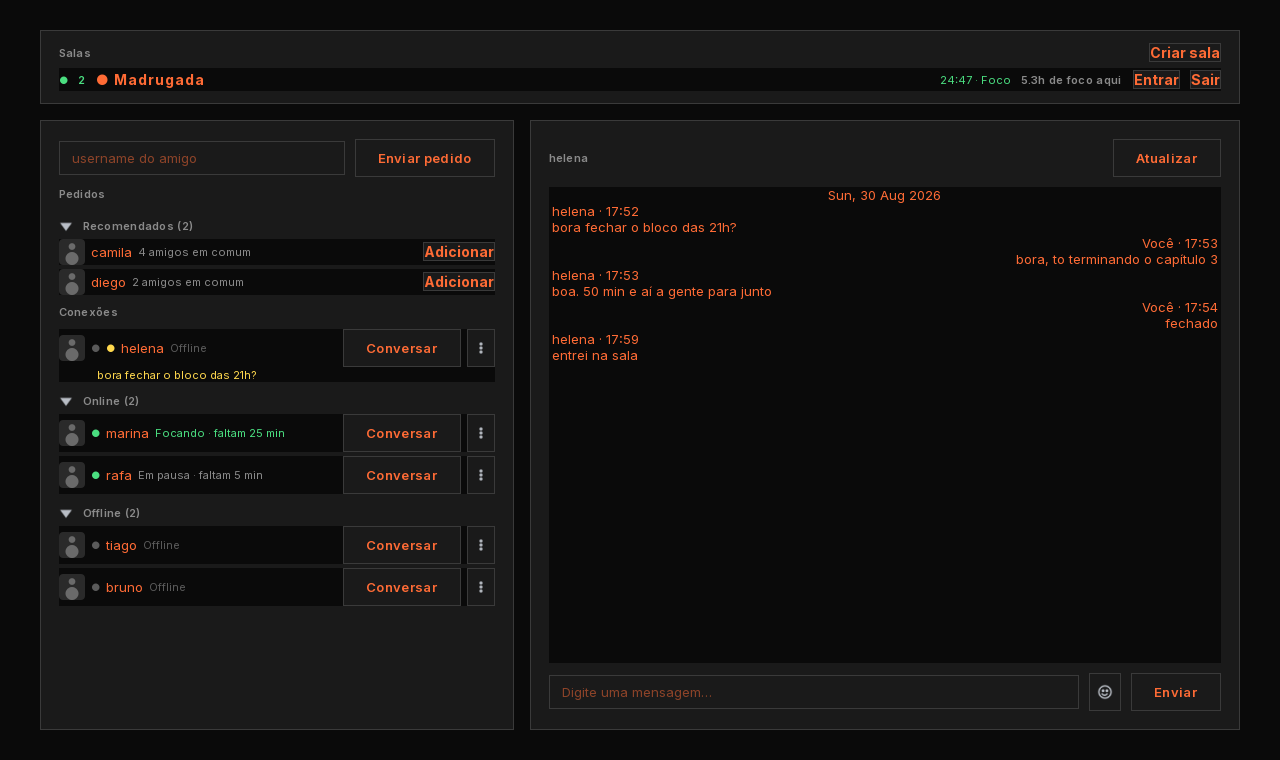
A yellow dot was supposed to mean "somebody wrote to you". Nobody read it that way, so messages went unanswered. Unread conversations now jump to the top of the list with the first line of the message right there in yellow.
- Online and Offline are groups you fold away, so the screen stays clean.
- Suggestions: people your friends know, with how many you have in common.
- Rooms show who's inside and the shared clock running, without opening them.
Notes, a shareable report, and a rebuilt dashboard
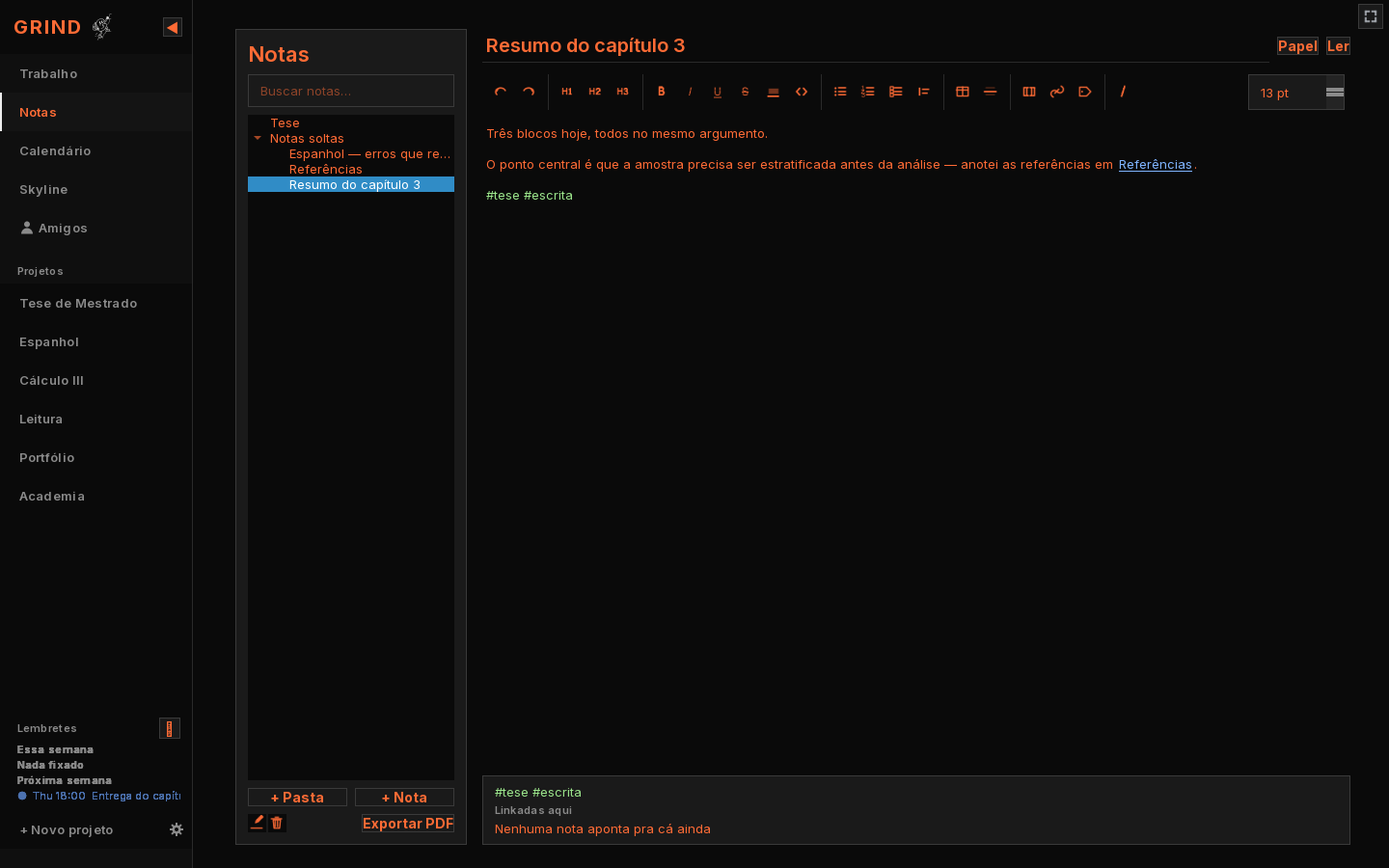
A full writing space inside Grind: folders, markdown, links between notes with [[ ]], backlinks, #tags and PDF export. Your notes, tasks, boards and calendar now sync between your machines.
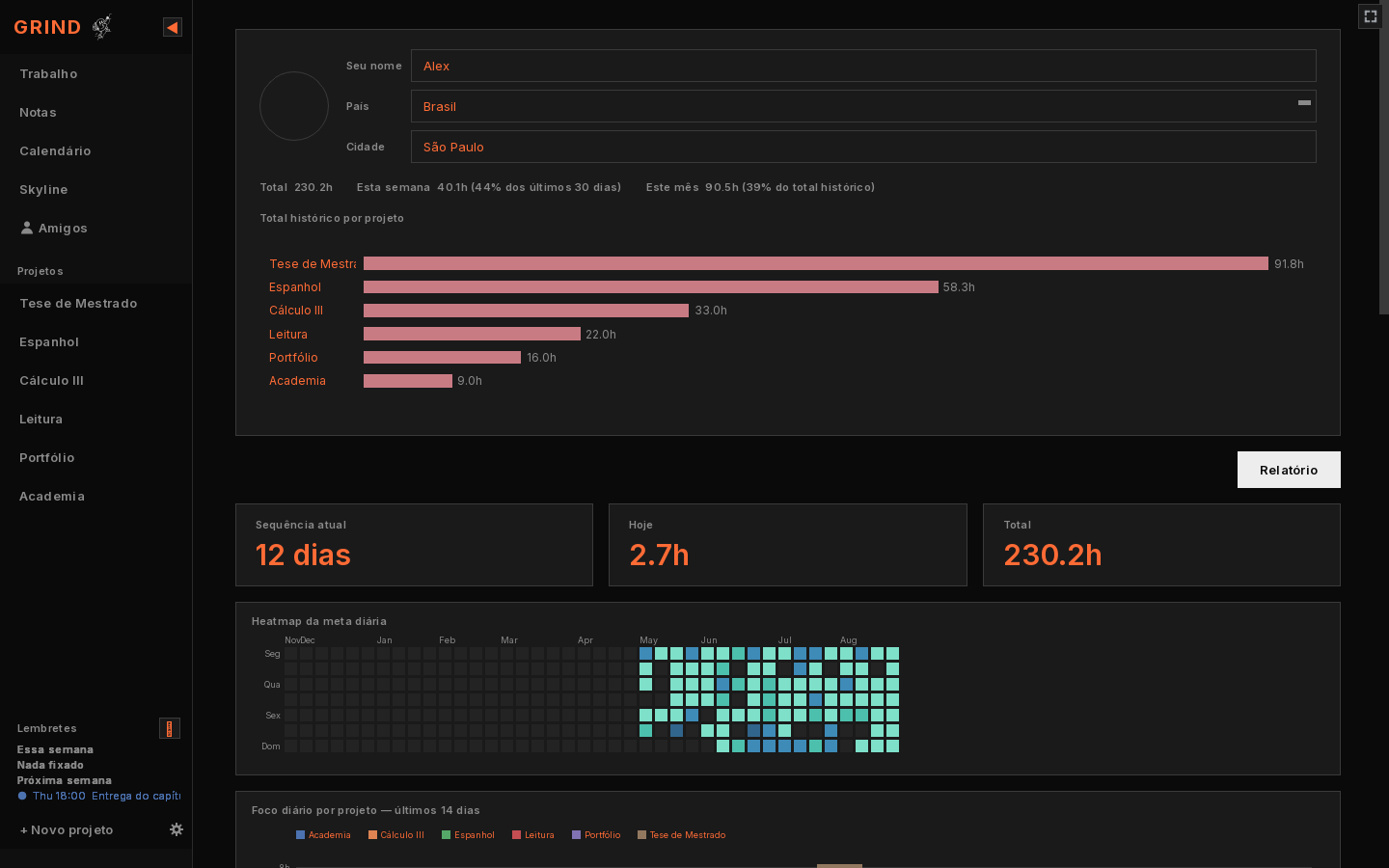
The dashboard was rebuilt into four tabs — overview, rhythm, distribution, progress — with a period selector and charts that answer the mouse. And a focus report you can share: your hours, your tasks and a chart, as a PNG or a PDF.
Rooms: focusing together, without a call
Up to five people, one shared pomodoro, a room chat and a shared project where tasks have an owner. You belong to as many rooms as you like and pick one to actually be on — the hours you focus there are banked against that room.
Starting a block asks the room first, match-accept style: everyone answers "ready" before the clock moves. A shared timer that one person can start while the others are away from the desk isn't shared, it's just loud.
Mac, an installer, and paying for it
Grind runs on macOS now, with a native build for Apple Silicon and another for Intel — no Rosetta, no admin password on first launch. Windows gets a proper installer that updates in place, and the app can update itself.
It also became a paid app: one payment, one key, tied to your account. It still works entirely offline — the key is checked once and then never gets in your way again.
Project boards and repeating tasks
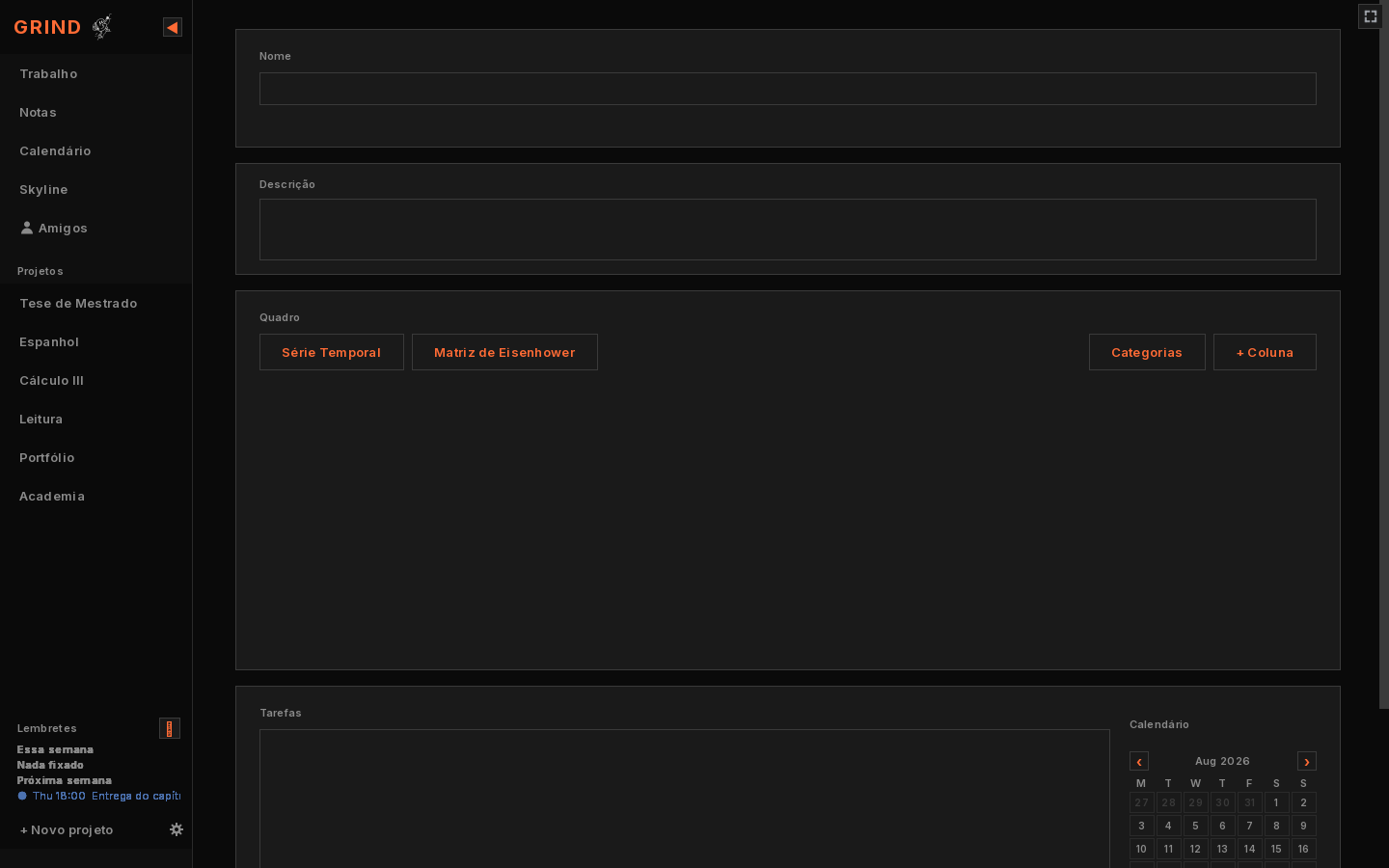
Two ways to lay a project out: a kanban with columns you name, and an Eisenhower matrix, both filtered by category. Tasks can repeat on exact weekdays, and you can drop a single occurrence or everything from a date on.
A repeating task is now finished per day, not once and forever — a daily task stopped showing up already ticked on its second day.
Focus City
New screen, pulls from the same session table the charts already use. Each completed focus block adds a floor to a building; the project with the most logged hours gets the tallest one. Hit your daily goal and a new building goes up next to it. Break your streak and growth pauses — it doesn't tear anything down, but nothing new gets built either.
Wanted a way to look at "did I actually work today" without opening the stats tab and reading numbers. This is that, at a glance, from the sidebar.
Calendar: tasks, events, reminders, birthdays, notes
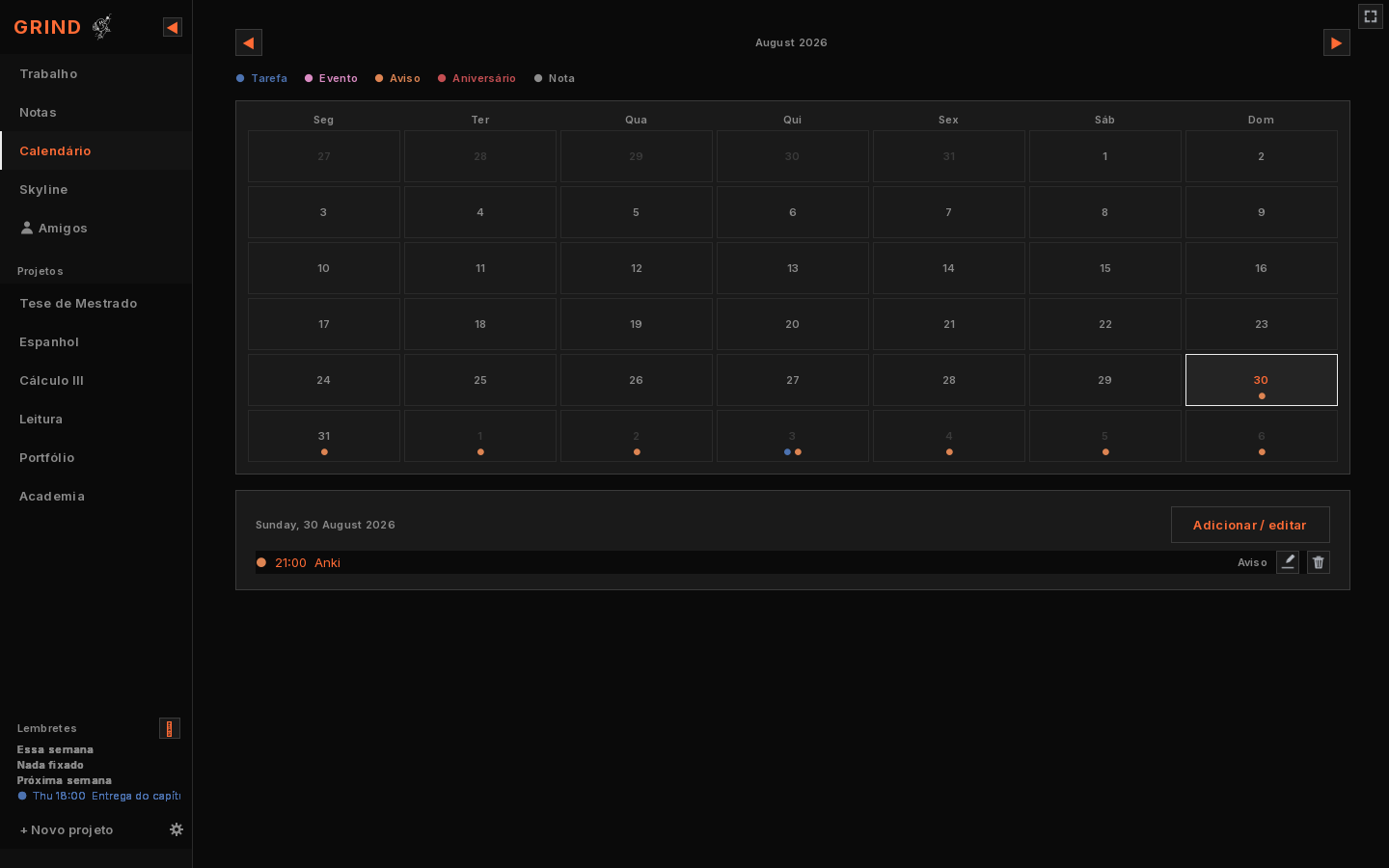
Used to be just due dates on tasks. Now it's a real month grid with five item types, each with its own colour dot, and recurrence rules from "once" up to "every 15 days" or yearly (for birthdays, mainly). Double-click a day to add something; click once to see what's already there. Anything you pin shows up in a small list next to the timer, so you're not tabbing over to check.
Localization + theming pass
Added Português and Español (English was the only option before). Also let you pick your own font and one accent colour that applies to the timer ring and the small UI marks — no theme picker with ten presets, just the one colour that matters. Sidebar is now resizable and collapses to icon-only if you want more screen. Always-on-top is there too, for anyone who wants the ring visible over everything else.
Stats dashboard
This took longer than expected because every chart is a real matplotlib/seaborn plot rendered on a background thread, not some canned charting library — cumulative hours over time, focus by hour of day and by weekday, session length distribution per project, a start-time scatter, a density map. Plus an hoverable streak heatmap and stacked daily bars broken down by project. Profile section keeps lifetime/weekly/monthly totals even after you archive a project, since we don't delete the underlying sessions.
Tasks got goals, priorities, and queues
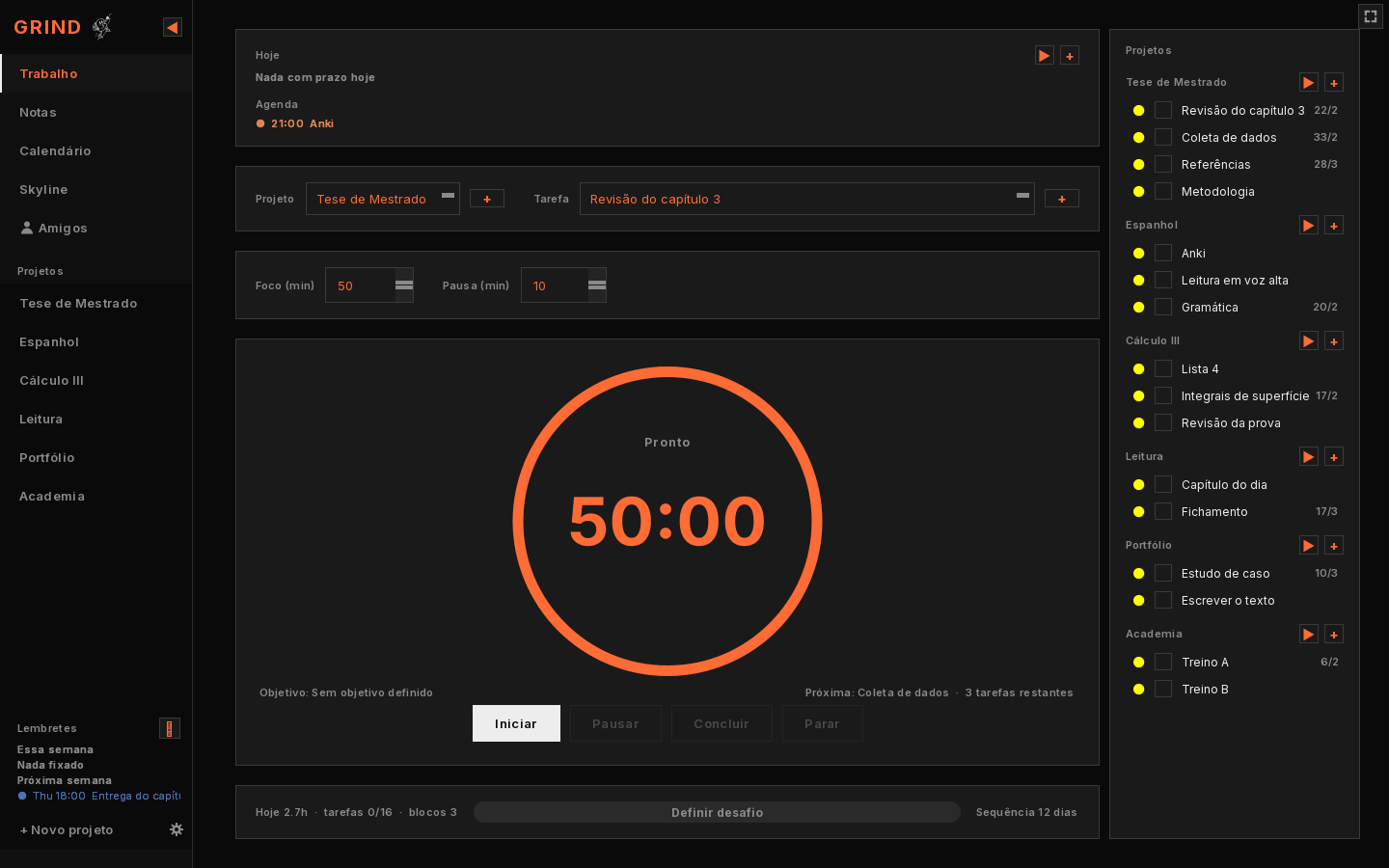
Tasks were just names before. Now each one has a goal field, a planned size in focus blocks, and an A/B/C priority you cycle with a click. You can drag to reorder, hover any task to start it directly, or queue a whole project and Grind runs through it — the ring shows "Block 2 of 4" so you know where you are. Added a Done button too, for when you finish a block early and want to roll straight into the next task instead of waiting out the timer.
1.0 — the first block
What shipped in the first version: one timer ring, 50 minutes focus / 10 minutes break by default (both configurable), projects and tasks, a daily goal, a streak counter. SQLite underneath, and a crash-recovery snapshot that writes every few seconds so closing the app mid-block — or it crashing — never costs you more than a few seconds of unsaved time. Dark theme, one accent colour, no onboarding tour. Works offline from the first launch, no account needed.
Why there's no notifications tab
Kept getting asked to add push notifications, a mobile companion app, maybe a browser extension. Deliberately not doing any of that. The whole point of Grind is that it doesn't compete for your attention outside of the fifty minutes you opened it for — no badges, no "come back" emails, nothing running in the background pulling you out of whatever else you're doing. If a feature request works against that, it's a no, even when it'd be an easy add.